Add a file.
Drop a file or folder into Vanishly from your computer.
Some files are only meant to stay for a little while.
Now they can.
Always free. No licenses, no subscriptions.
See what’s new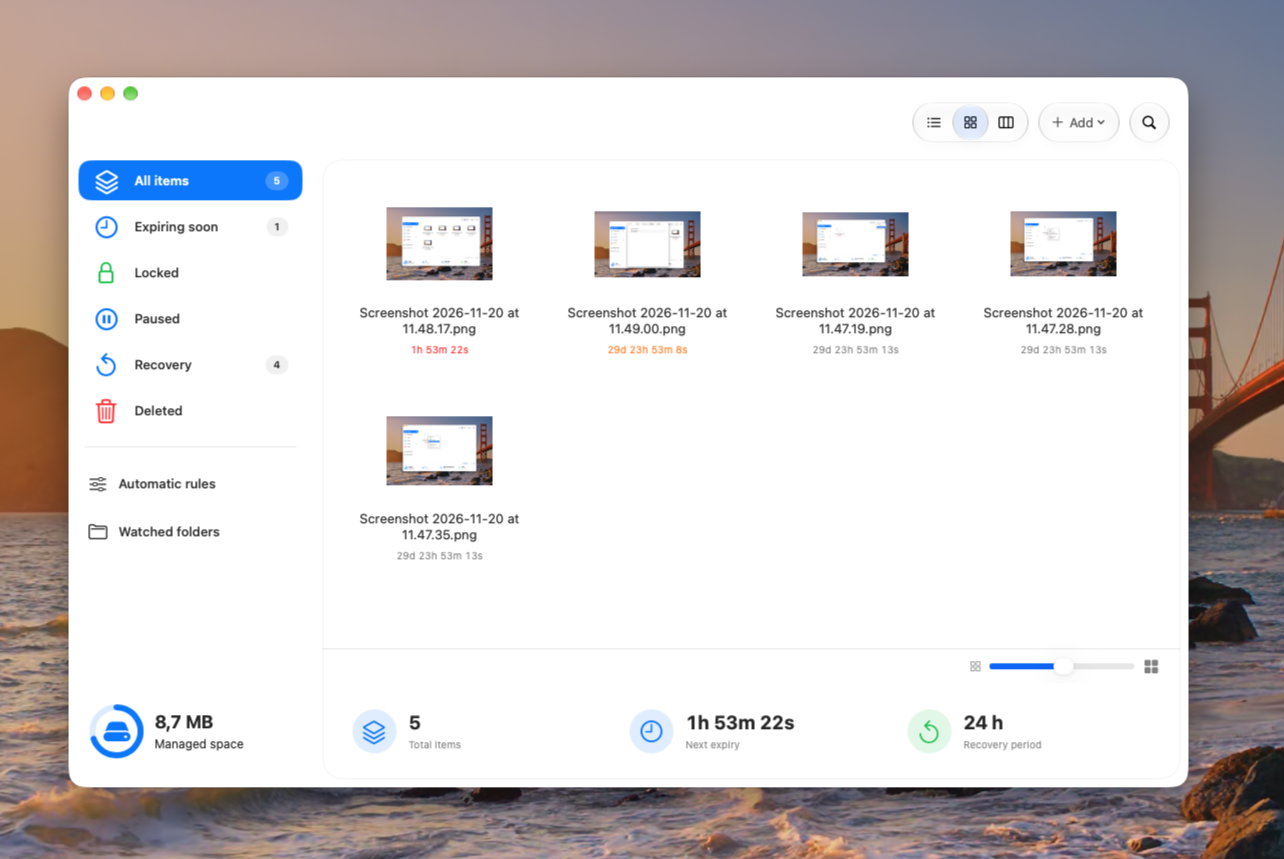
A LITTLE LESS CLUTTER
Downloads pile up. Installers stick around. That file you needed just once is still taking up space months later. Vanishly makes temporary files actually temporary.
EFFORTLESS BY DESIGN
Drop a file or folder into Vanishly from your computer.
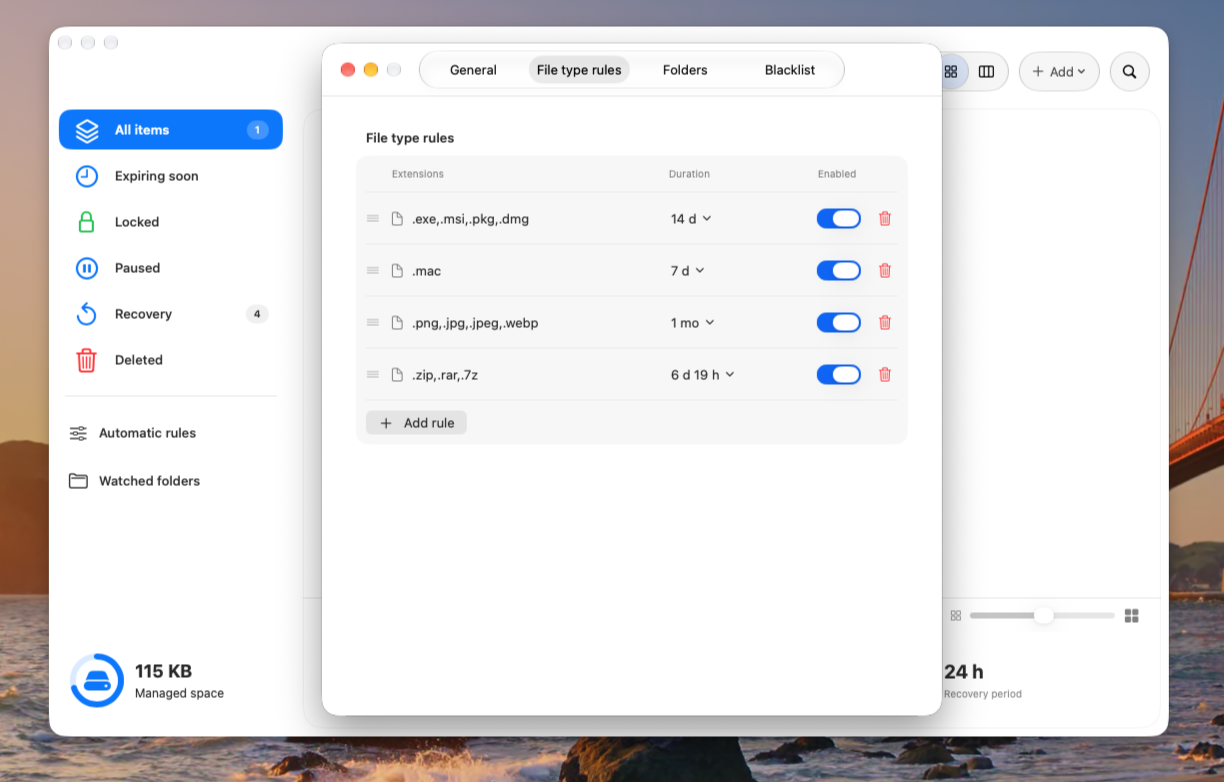
Choose a countdown or use your own file-type rules.
Vanishly handles cleanup when the time is up.
AVAILABLE FOR MAC
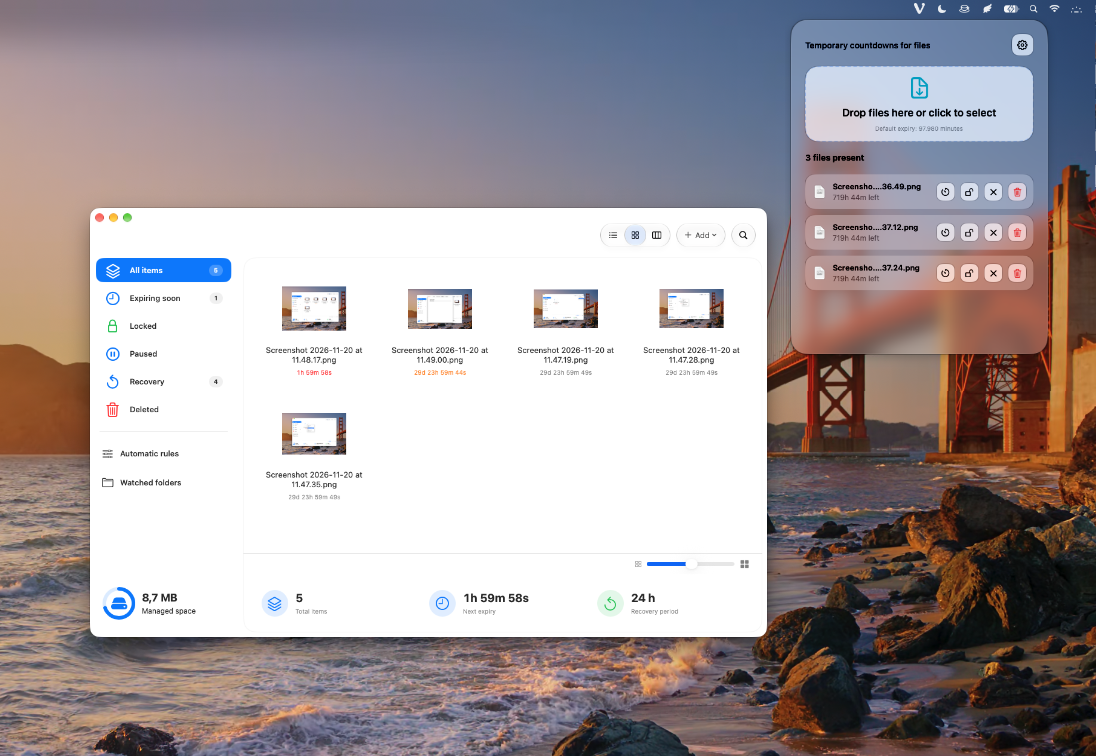
A simple way to manage temporary files on your Mac.
A discreet menu bar companion, with effortless countdowns and flexible preferences.
 Download for Mac
AT YOUR FINGERTIPS
A new Finder-inspired interface to browse, search, and manage files with countdowns.
MADE FOR YOUR WORKFLOW
Set different countdowns for archives, installers, images, and more. Vanishly remembers the rules so you don’t have to.
A LITTLE PEACE OF MIND
Pause your countdowns. Choose Trash instead of permanent deletion. Or use the recovery window when you want a second chance.
No complicated workflows. No extra clutter. Just a quieter way to keep your computer tidy.
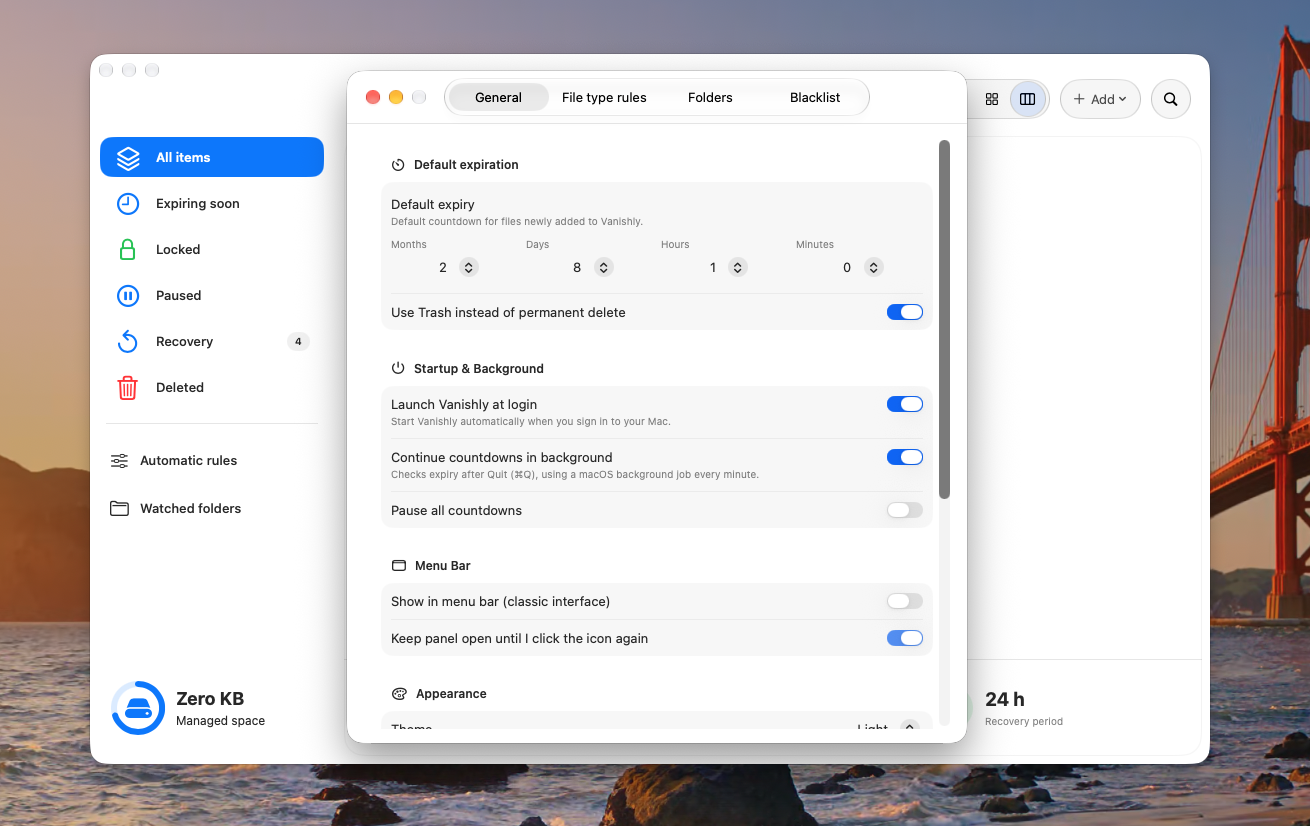
NEW · BACKGROUND
Enabled by default, background cleanup checks expiry times even after you quit Vanishly. You can turn it off in Preferences.
PROTECT WHAT MATTERS
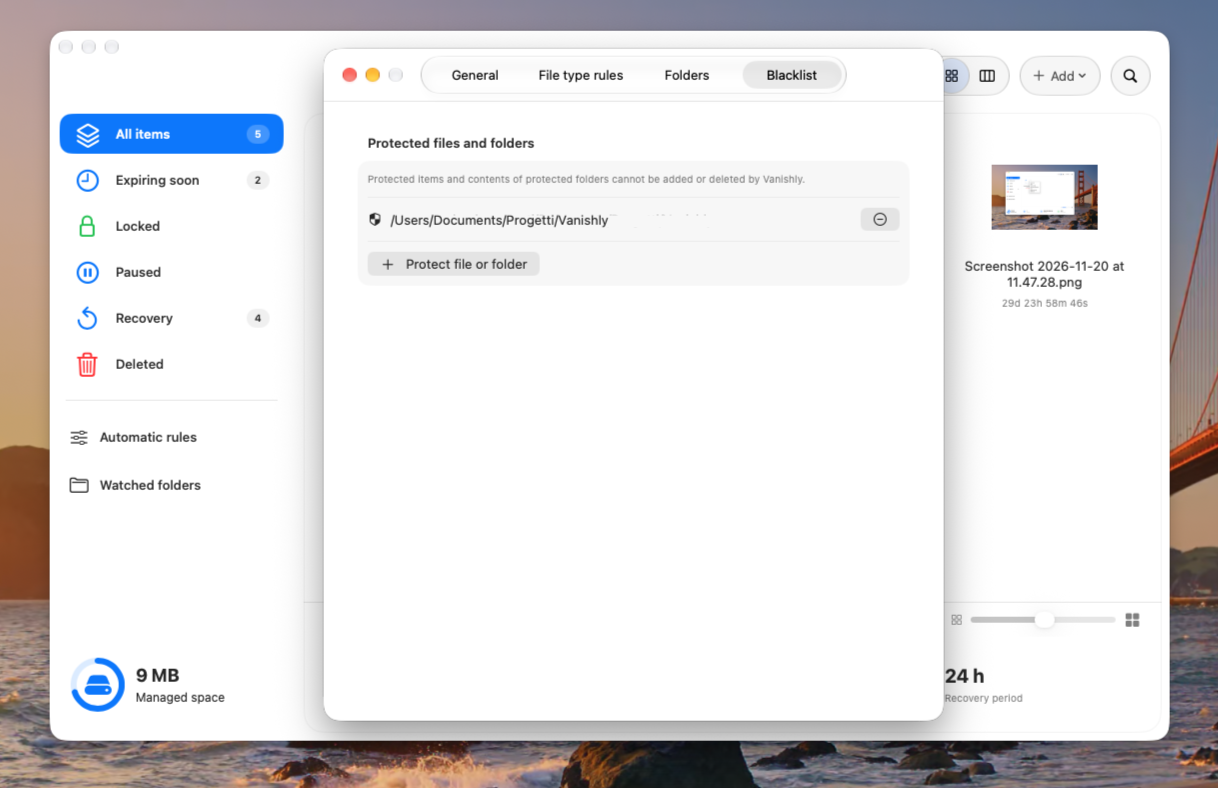
Exclude individual files or entire folders from automatic deletion. Vanishly alerts you if you try to add a protected item.
YOUR MAC, YOUR WAY
Use Vanishly as a traditional macOS window or as a compact panel in the menu bar. Choose the mode that suits you in Preferences.
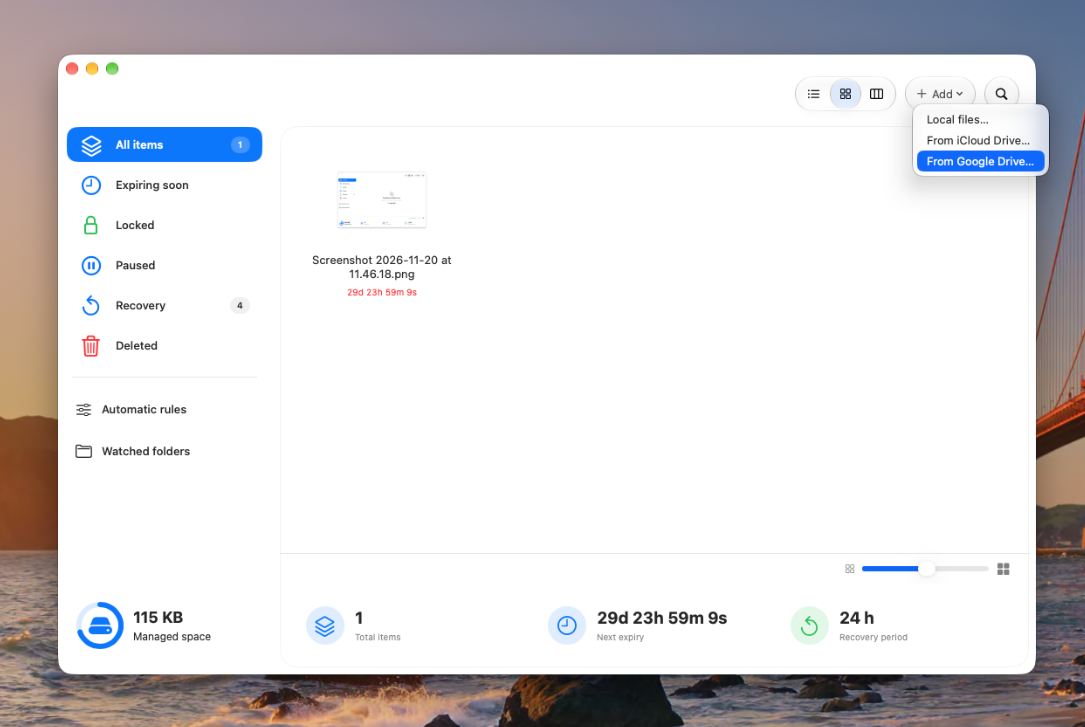
YOUR FILES, EVEN IN THE CLOUD
Add only the files and folders you choose from iCloud Drive or Google Drive and give them a countdown, just like local files. On Mac, iCloud Drive works through the system file picker; Google Drive requires Google Drive for desktop. Cloud changes may sync to your other devices, so start with test files.
GOOD TO KNOW
Vanishly cleans up the expired item according to your selected settings. You can choose the Trash or an optional recovery period.
Yes. Add individual files or entire folders and assign an expiration time.
Yes. Create rules based on extensions, with a different default countdown for each group.
Yes. Pause countdowns, lock individual items, and manage them before they expire.
Background cleanup is designed to be enabled by default. For it to work after Quit, the macOS background service must be installed and running.
Vanishly is distributed directly from our website and is not currently signed with an Apple Developer ID or notarized by Apple. For this reason, macOS Gatekeeper may warn that it cannot verify the developer or check the app for malicious software. This warning does not itself mean malware was found, but Apple has not verified the app.
Only override the warning if you trust the downloaded file. If macOS reports that the app will damage your computer or contains malware, do not override the warning. Read Apple's official guidance.
SUPPORT INDEPENDENT DEVELOPMENT
Vanishly is an independent project. If you find it useful, you can support its development with a voluntary contribution on Ko-fi. Every bit of support is appreciated.
Support on Ko-fiVanishly will always be free. No licenses or subscriptions. Donations are entirely optional.
VANISHLY FOR MAC
Always free. No licenses. No subscriptions.