VANISHLY · PRODUCT UPDATES
What's new.
And what's better.
Every improvement, all in one place. Discover the latest additions to Vanishly for Mac.
LATEST UPDATE
Version 1.2.1
Color-coded file countdowns.
Files closest to deletion are shown in red, while those expiring next appear in orange, in chronological order.
Next expiration countdown on the main page.
A live countdown on the main page shows how much time remains until the next file expires.
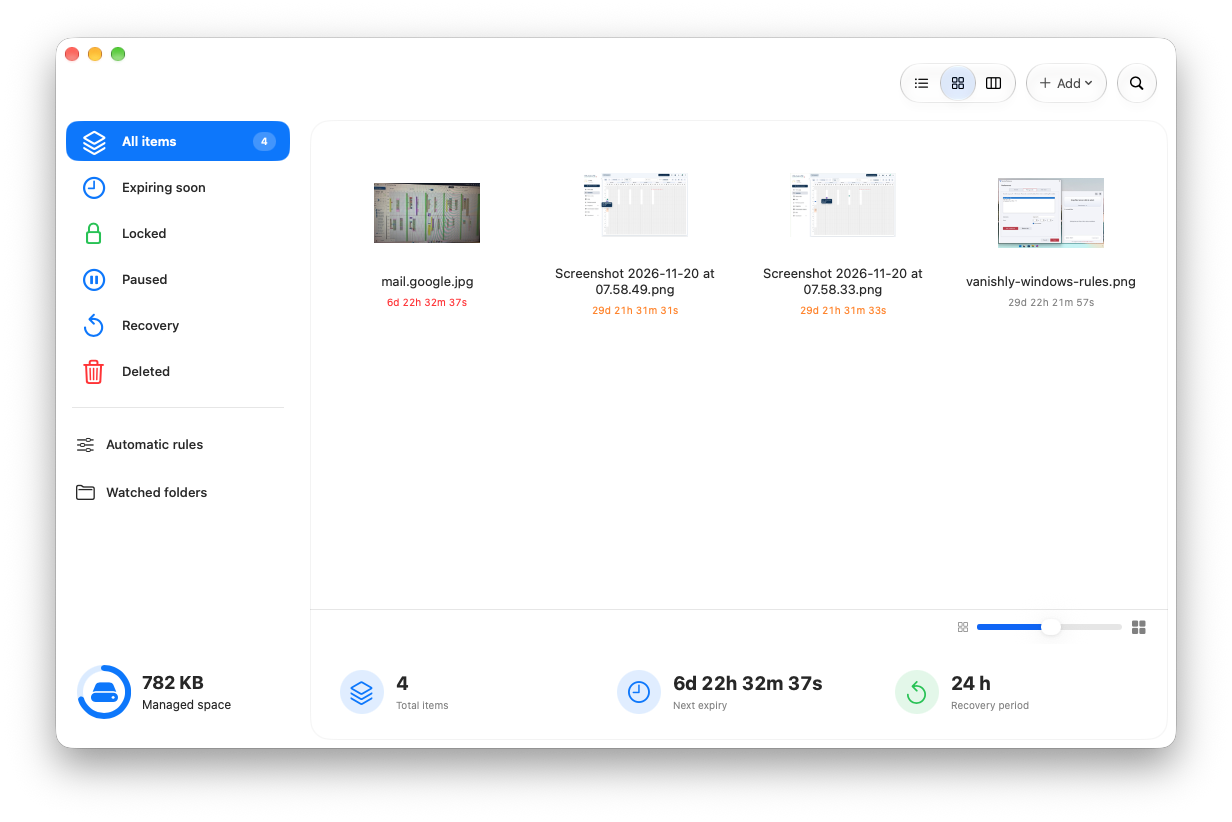
Color-coded countdowns and the next expiration, together in the main window. Reorganized file type rules.
Drag and drop rules to reorder them. A warning also alerts you if an extension is already used in another rule.
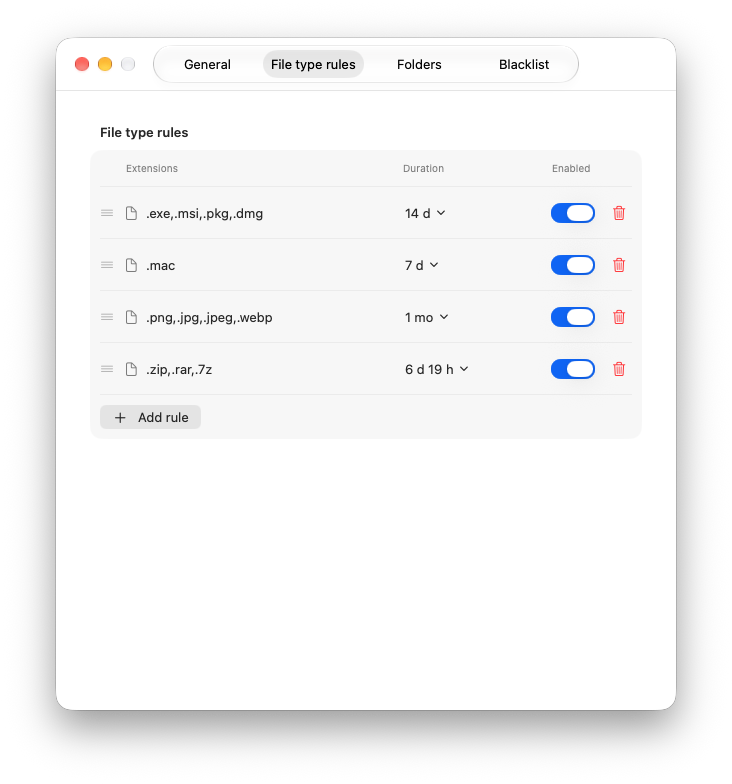
File type rules, now easier to organize. Check for Updates from the Vanishly menu.
Check whether a newer version is available directly in Vanishly. When an update is found, you can download the official ZIP from our website and install it manually.
Select and manage multiple files.
Select multiple items with Command-click, Shift-click, or drag a selection rectangle as in Finder. Remove them all from the list with Backspace or the context menu, or assign one custom expiration time to the whole selection. Removing items from the list does not delete them from your Mac.
Redesigned General preferences.
General settings are now organized into clearer sections for expiration, startup and background, menu bar, appearance, notifications, and recovery. The existing options and saved values remain available.
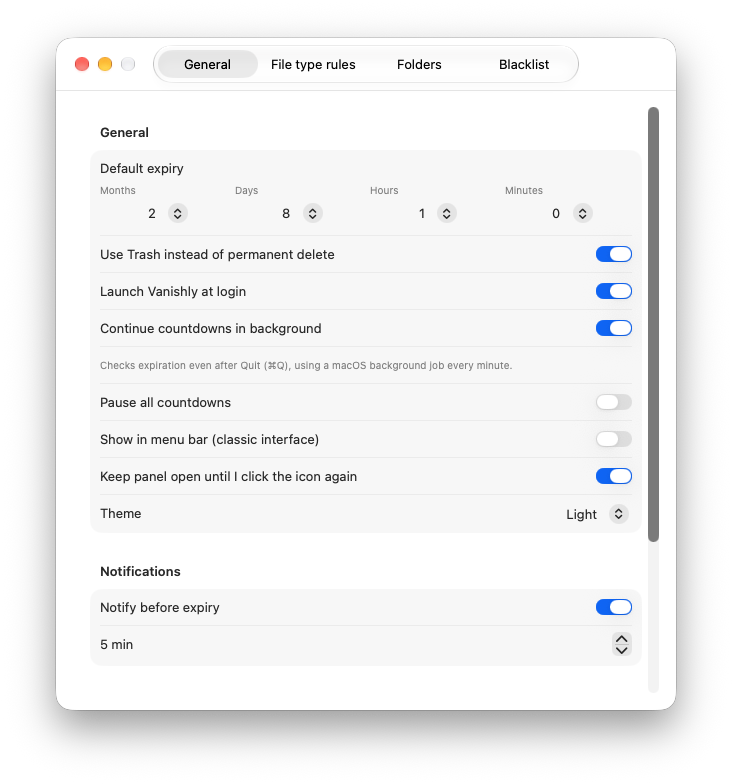
General preferences, with the application settings in one place.
PREVIOUS UPDATENovember 20, 2026Version 1.2.0macOS
Quick Look in the file list.
Preview files directly from the list with Quick Look, without opening them in another app.
Import from iCloud and Google Drive.
Add files from iCloud Drive or Google Drive. Google Drive for desktop must be installed to use Google Drive.
A window by default. Menu bar when you prefer.
Vanishly now opens in Window mode by default. You can enable Menu Bar mode in Settings at any time.
More flexible deletion countdowns.
Set deletion times using months, days, hours, and minutes for more precise control.
Blacklist protection.
Keep important files and folders safe by excluding them from automatic deletion with the new Blacklist section.
Custom timing for individual files.
Assign a custom countdown to a single file, independently of the default deletion rules.
Files nearing deletion highlighted in red.
Files that are about to be deleted are highlighted in red, so you can always see at a glance what will be removed soon.
Bug fixes and performance improvements.
Bug fixes and optimizations to improve stability and performance.
Supported operating systems.
macOS 26 and later.
READY WHEN YOU ARE
Your files.
Your timeline.
Try the latest Vanishly for Mac. Always free, without subscriptions or license keys.
Download for Mac